




Successfully Submitted
The Beginner’s Guide to Understanding How Mobile Apps Are Made
By Vaishnavi E
July 3, 2026 (Last Updated) | 6 mins read
Have you ever opened Instagram to check your friend’s post, played a round of Subway Surfers while waiting for lunch, or asked Siri a random question just for fun? If yes, you have already used a mobile app today. But have you ever stopped and thought, “Wait… how mobile apps are made? Who made it? How do apps work?” Well, you are in the right place. Let’s break it all down in the simplest way possible.
So, What Exactly Is a Mobile App?
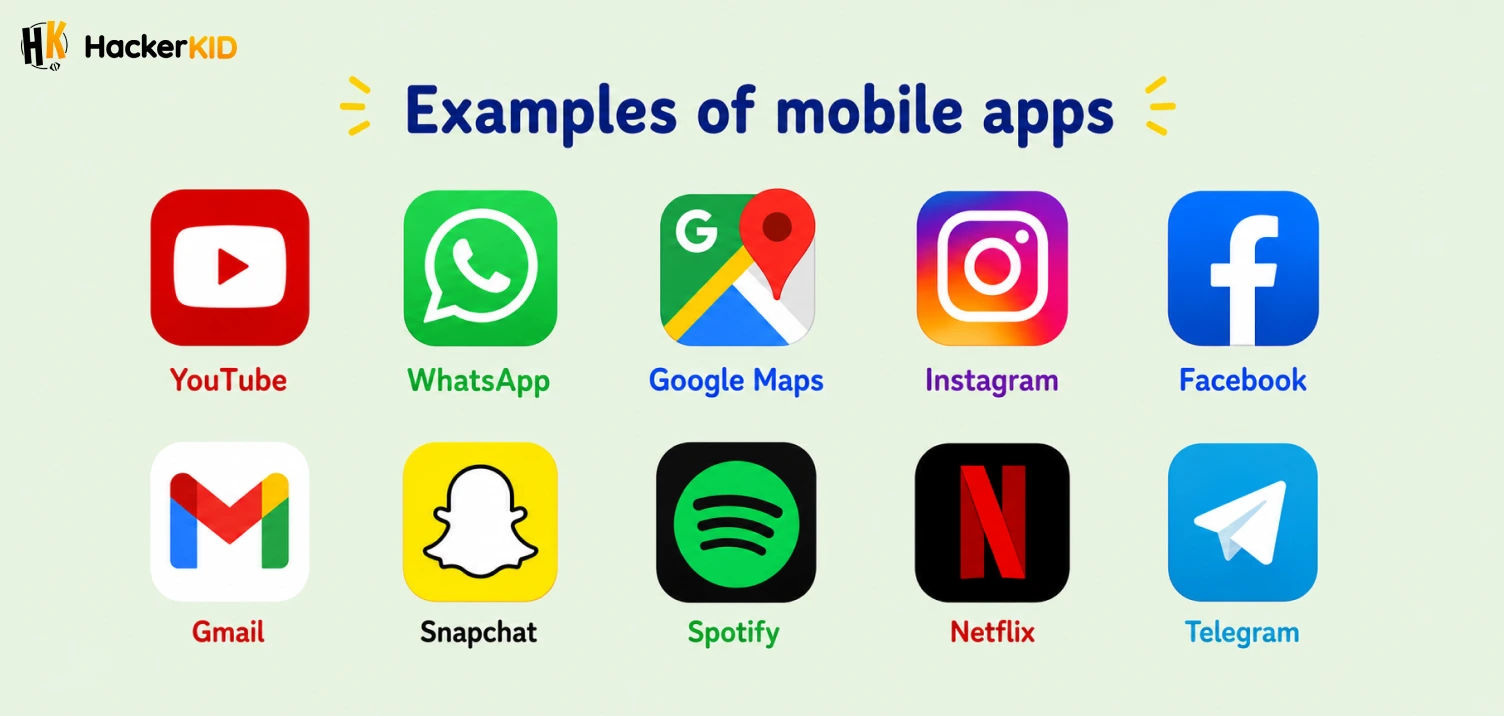
A mobile app is a software program that runs on your phone or tablet. Think of it like a tool designed to do one specific job really well. YouTube helps you watch videos. WhatsApp helps you chat. Google Maps helps you find directions. Each of these is an app built by a team of people who wrote a lot of code to make it work.
But here is the cool part: apps do not just appear out of thin air. They go through a step-by-step process before they land on your phone. This whole process is what we call mobile app development, and it is more exciting than it sounds!
Ready to go from app user to app creator? Join our App Development Course built for kids and start your coding journey today!
What Is Mobile App Development and How Mobile Apps Are Made?
Before we jump into the steps to build a mobile app, let’s quickly understand what mobile app development actually means.
It is the process of creating software applications that run on mobile devices like your phone or tablet. It involves planning, designing, coding, testing, and launching the app. Every app you use today, big or small, went through this exact process.
Also Read: What Is App Development and How Do Apps Actually Work?
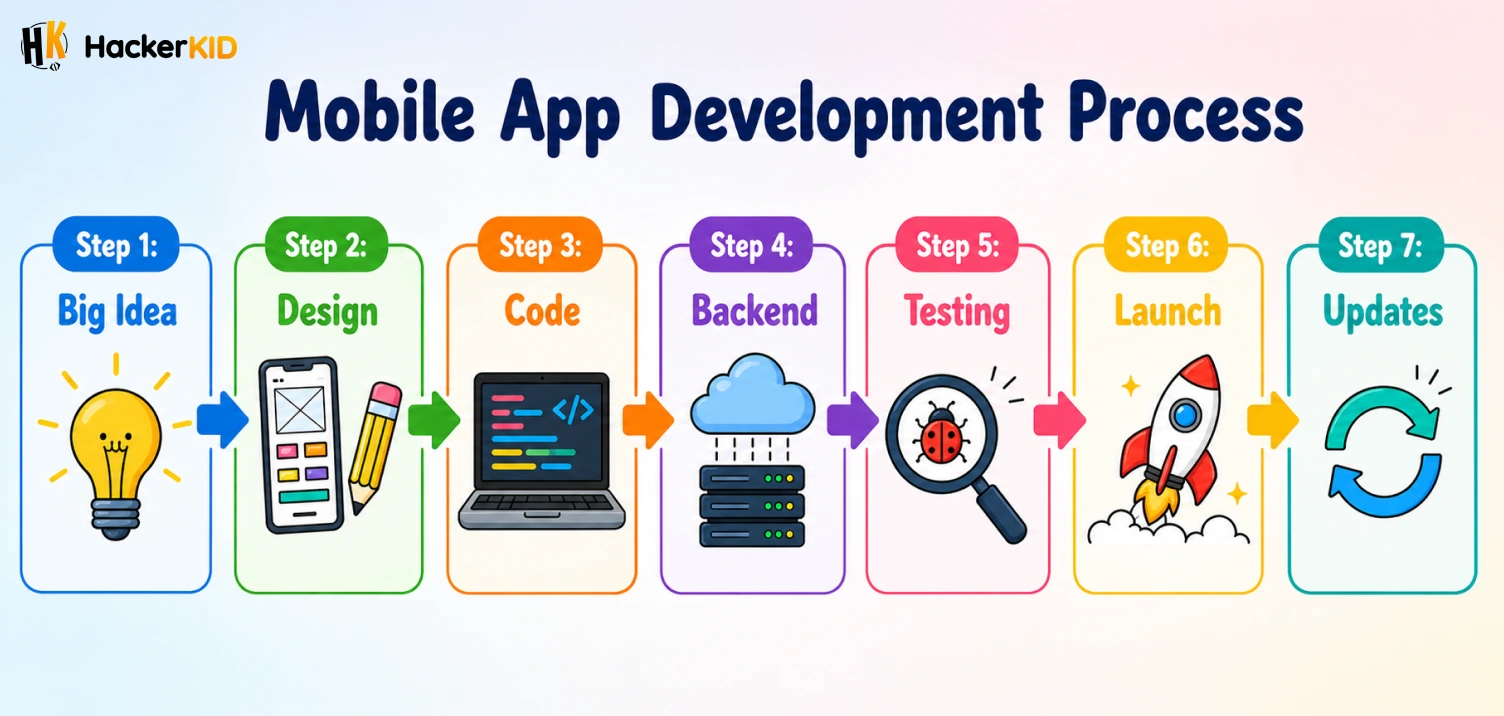
Step 1: The Big Idea
Every app starts with a simple question: “What problem does this solve?”
Let’s say you and your friends always argue about whose turn it is to pick the movie on movie night. Someone thinks, “What if there was an app that randomly picks a movie for us?” Boom. That is an idea.
Developers, designers, and sometimes even kids like you write down what the app should do. This is called planning, and it is the very first of the steps to build a mobile app. They make a list of features the app will have. For example:
- A button that shuffles movie options
- A list where everyone can add their favourite movies
- A fun animation when the app picks a winner
This planning stage is super important. Without a clear plan, building an app is like trying to bake a cake without a recipe.
Step 2: Designing How It Looks
Before anyone writes a single line of code, designers decide how the app will look and feel. They sketch out every screen on paper or on a computer. This sketch is called a wireframe or a mockup.
Think of it like drawing the blueprint of a house before you build it. You would not just start stacking bricks without knowing where the rooms go, right?
Designers think about things like:
- Where should the buttons be?
- What colors should we use?
- Is it easy for someone to use without reading instructions?
For our movie picker app, the designer might decide to put a big, colorful “Pick a Movie!” button right in the middle of the screen. Easy to see, easy to tap.
Step 3: Writing the Code
This is where the magic really happens, and it is also the part most people are curious about when they ask how mobile apps are made. Developers take the design and bring it to life using a programming language.
So, what is the best coding language for mobile apps? Here are the most popular ones:
- Swift for apps on iPhone (iOS)
- Kotlin for apps on Android phones
- Flutter and React Native let developers build one app that works on both iPhones and Android phones at the same time
There is no single “best” answer since it depends on what kind of app you want to build. But Swift, Kotlin, and Flutter are great places to start if you are serious about mobile app development.
Let’s go back to our movie picker app. A developer would write code that says something like: “When the user taps the big button, randomly pick one movie from the list and show it on screen with a fun animation.”
Each button, each screen, and each action the user can do has to be written in code. It takes time, patience, and a lot of practice. But once you get the hang of it, it is incredibly satisfying to see your code turn into something real.
Step 4: Connecting to the Internet (Backend)
Now here is where things get really interesting if you want to understand how do apps work behind the scenes.
Some apps only work on your phone and do not need the internet. A simple calculator app, for example. But most popular apps need to talk to the internet to work.
Take Spotify. When you search for a song, your phone sends a request to Spotify’s server (a powerful computer somewhere in the world), the server finds the song, and sends it back to your phone in seconds. You hear the music. All of that happens in the blink of an eye.
This behind-the-scenes part of an app is called the backend. It stores data, handles accounts, and makes sure the right information reaches the right user. Now you know how apps work, even the big ones!
Step 5: Testing, Testing, Testing
Once the app is built, it is time to test it. Developers try to break the app on purpose. They ask questions like:
- What happens if someone types letters where only numbers should go?
- What if the internet is slow?
- Does it work on older phones too?
This stage is called Quality Assurance (QA). Testers go through every part of the app to find bugs. A bug is basically a mistake in the code that makes the app crash or behave in a weird way.
Fun fact: the word “bug” in programming actually comes from a real bug. Back in 1947, a moth got stuck inside a computer and caused it to malfunction. The engineers called it a bug, and the name stuck!
Step 6: Launching the App
After testing, the app is ready to go live. Developers submit it to the App Store (for iPhones) or Google Play Store (for Android). Apple and Google check the app to make sure it is safe and follows their rules. Once it gets approved, anyone in the world can download it.
That is the moment every developer works so hard for. Seeing their app available for download is like seeing your drawing hung up on the school wall for everyone to see.
Step 7: Updates and Improvements
Launching the app is not the end. This is an important part of mobile app development that many people forget about. Developers keep working on it even after people start using it. They listen to user feedback, fix bugs that were not caught during testing, and add new features.
Instagram did not always have Reels. WhatsApp did not always have voice notes. These were all added later based on what users wanted. Apps grow and improve over time, just like you do.
Dream of building your own app? Explore our App Development Course made for kids just like you. Start learning from scratch and turn your idea into a real app!
Quick Recap: The Steps to Build a Mobile App
Here is the whole process in a nutshell:
- Come up with an idea that solves a problem
- Plan what features the app will have
- Design how the app looks
- Write the code using the best coding language for mobile apps
- Connect it to the internet if needed
- Test it and fix any bugs
- Launch it on the App Store or Play Store
- Keep improving it based on feedback
Every single app on your phone, from YouTube to Minecraft to Duolingo, went through each of these steps. Now that you understand how mobile apps are made and how do apps work, you can look at every app differently. And here is the best part: the people who built those apps were once beginners too. They started by learning one small thing at a time, just like you are doing right now.
So the next time you open an app, take a second to think about all the work that went into making it. And maybe, just maybe, start thinking about the app you want to build someday. Because the world needs more creative builders like you.
FAQs
💬 Quick Answers 1. What is mobile app development?
Mobile app development is the process of building apps that run on phones and tablets. It covers everything from the initial idea to the final launch. Here is what it includes:
Planning the idea
Designing the screens
Writing the code
Testing and fixing bugs
Launching the app for people to download
2. How do apps work on your phone?
Every time you open an app, here is what happens:
You tap the app and it opens on your screen
The app wakes up and gets ready to listen to what you do
When you search for something, your phone sends a message to a super powerful computer (called a server) that stores all the information
That server sends the right information back to your phone
You see the result on your screen in just a few seconds
3. How to build a mobile app step by step?
Here is a simple breakdown of the steps to build a mobile app:
Step 1 – Come up with an idea
Step 2 – Plan the features
Step 3 – Design the screens
Step 4 – Write the code
Step 5 – Test and fix bugs
Step 6 – Launch on App Store or Play Store
4. Is mobile app development easy?
It is not too hard, but it does take practice. Think of it like learning to play a video game. The first level always feels confusing, but the more you play, the better you get at it.
Starting with beginner-friendly coding tools makes the whole learning process much simpler and more fun.
5. Which coding language is best for mobile apps?
It depends on what you want to build. Here is a quick guide:
Swift for iPhone apps
Kotlin for Android apps
Flutter / React Native for both iPhone and Android
Python if you are just starting out
6. What is the full form of app?
App stands for Application. It is a software program built to run on your phone, tablet, or computer. The word “App” became popular because it is short and easy to remember. Today, people use it to refer to any software they use in their daily life.
7. Can I create my own mobile app?
Yes, you can! Here is how to get started:
Begin with a beginner-friendly coding course designed especially for kids
Learn basic coding concepts like loops, conditions, and functions
Move on to languages like Swift or Kotlin as you grow your skills
Start small, build a simple app, and keep improving from there
8. Can kids learn how to make mobile apps?
Absolutely yes! Kids as young as 7 or 8 have already built their own apps. You do not need to be an adult to start learning. With the right tools and a little practice, anyone can do it!
Table of Contents
So, What Exactly Is a Mobile App?
What Is Mobile App Development and How Mobile Apps Are Made?
Quick Recap: The Steps to Build a Mobile App
FAQs


Related Posts
Android vs iOS App Development: What Young App Developers Should Know
Have you ever noticed that some of your friends have an iPhone and others have an Android phone, but the …
July 3, 2026 | 7 mins read
Read More

What Is UI and UX Design and Why Do Apps Need Both?
Have you ever opened an app and thought, "Wow, this looks so cool!" or "This is so easy to use!" …
July 3, 2026 | 6 mins read
Read More

What Is the Difference Between a Web App and a Mobile App?
Have you ever opened YouTube on your laptop browser and also on your phone? Did you notice they look a …
July 3, 2026 | 6 mins read
Read More